Your face looks like a shadow, the image is noisy and people keep asking if your camera is on. Is your webcam too dark? The good news is: you can fix it in a few minutes. In most cases, you do not need a new camera. Instead, you need better light and the right settings.
Quick answer
A webcam is too dark mostly because of weak front light, a bright window behind you or auto exposure. Add light in front of you, raise the exposure step by step, keep gain moderate and save a separate low-light profile for the evening.
Why is my webcam too dark?
Small webcam sensors need a lot of light. In addition, auto exposure often reacts to the brightest part of the image, for example a window. As a result, your face gets darker. In the evening, the camera then raises gain, and the image becomes grainy.
7 fixes when your webcam is too dark
1. Put the light in front of you
Place a lamp or window in front of you, slightly to the side. A simple desk lamp aimed at a white wall already helps a lot.
2. Remove backlight
A bright window behind you confuses the camera. So close the curtain or turn your desk.
3. Switch off auto exposure
Set exposure to manual and raise it step by step until your face looks natural. However, too long exposure causes motion blur, so stop when it looks good.
4. Use gain carefully
Gain makes the image brighter, but it also adds noise. Therefore, raise exposure first and gain last.
5. Adjust brightness and contrast
Small changes are enough. For example, +10 brightness and slightly less contrast often brighten the face without grey shadows.
6. Fix the white balance
Warm evening lamps make you look orange. A manual white balance around 3200–4000 K keeps skin tones natural.
7. Save a low-light profile
This is the step most people miss. Once your evening look is perfect, save it. Then you can switch between “Daylight” and “Evening” in one click instead of starting again every night.
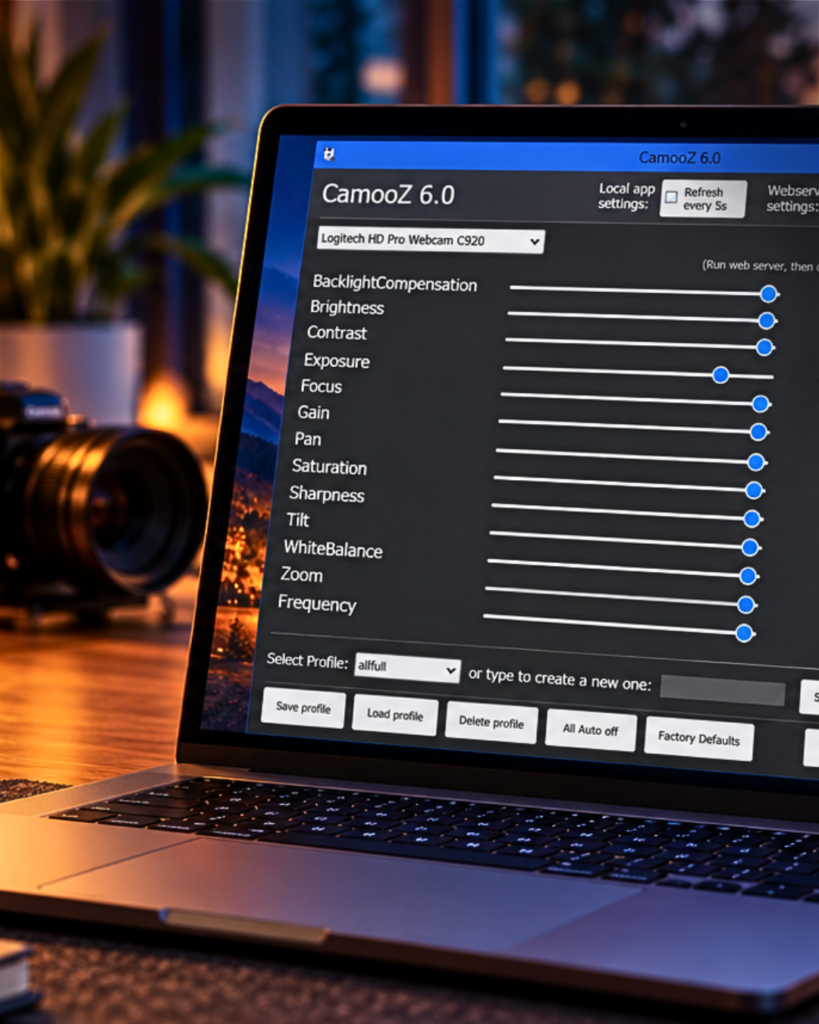
How CamooZ helps with a dark webcam
CamooZ shows all the sliders your camera offers, not only brightness and contrast. Moreover, you can save a daylight profile and an evening profile and load them by click, hotkey or Stream Deck. Consequently, your camera looks good at 9 a.m. and at 9 p.m.
Do I need a new webcam?
Only if the image stays grainy even with good light. Before you spend money, try the fixes above. Many users are surprised how much better a cheap webcam looks with the right settings.
FAQ: webcam too dark
Why is my webcam so dark in Zoom?
Usually because of weak front light or backlight. Zoom also has a “Adjust for low light” option. In addition, set your camera values in CamooZ and save them.
How do I make my webcam brighter without grain?
Add light first, then raise exposure, and use gain last. Grain comes mostly from high gain.
Why is my webcam darker in the evening?
Less light means the camera raises gain, which also adds noise. Save a separate evening profile with adjusted values.
Can I switch between day and night settings quickly?
Yes, with CamooZ profiles. The full version costs 4.99 USD once.
Bright in every light
Save a daylight and an evening profile – and switch in one click.